Bluetooth Smart / BLE Scanning on OSX + Xcode 6
Starting to play around with BLE development with Intel Edison, here are some useful tools for scanning and discovering local BLE services for developers.
Originally published on the rexstjohn.com blog
- ios
- intel-edison
Originally published at rexstjohn.com on November 18, 2014. Recovered from the Internet Archive.
Starting to play around with BLE development with Intel Edison, here are some useful tools for scanning and discovering local BLE services for developers.
I am using an older MacBook Pro and I frequently encountered problems connecting to and reading BLE characteristics. Of the below options, I have had the best success using the LightBlue iOS app (NOT the OS X app). I suspect I might get different results if I tried these scanners with my newer Mac Air.
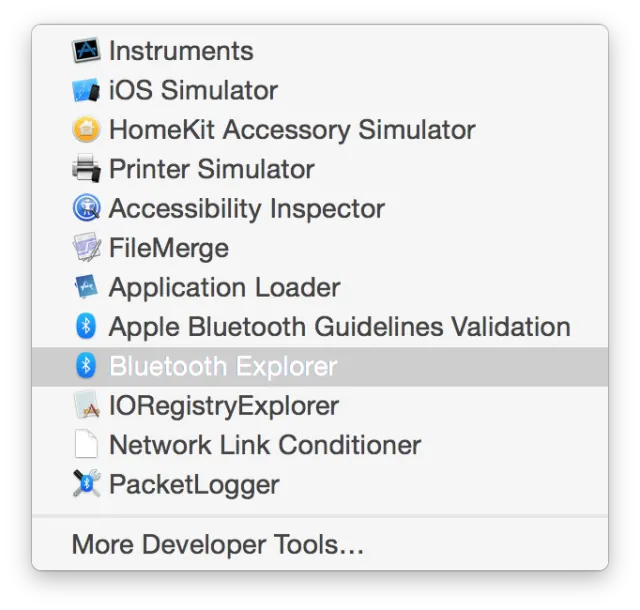
First, there is Xcode’s Bluetooth tools. You can get them by opening Xcode and selecting “Xcode -> Open Developer Tools -> More Tools” and then downloading the “Hardware IO” libraries after logging in with your developer credentials.
Copy these “.app” files into “Xcode.app -> contents -> applications” to have them show up in the “Open Developer Tools” menu. You will have to restart Xcode after dragging + dropping those apps in there. Note: To open the Xcode package, Command + click the Xcode.app file and select “Show Package Contents.”
Now open the “Bluetooth Explorer” which will now be located in the Open Developer Tools menu:
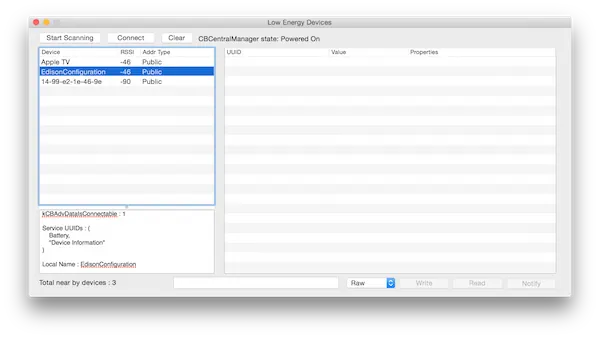
Next, select “Devices -> Low Energy Devices.” With this utility, you can scan for nearby devices:
The other useful utilities are here: