Intel Galileo Gen 2 Mashery + Twilio Samples
Provided you have followed the instructions here to set up your Gen 2 Galileo with Node.js and XDK… Download and unzip the following samples into a...
Originally published on the rexstjohn.com blog
- nodejs
- intel-galileo
Originally published at rexstjohn.com on September 5, 2014. Recovered from the Internet Archive.
Provided you have followed the instructions here to set up your Gen 2 Galileo with Node.js and XDK…
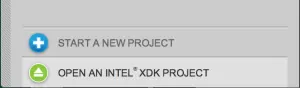
Download and unzip the following samples into a directory and, under the “Develop” tab, select “Open An Intel XDK Project” and import the below directory.
Download Samples: Mashery Galileo XDK Samples
Next, assuming you have connected an Intel Galileo Gen 2 board and paired it with your XDK instance, you should be able to deploy the code to the board and then run it.
Each sample can be run by navigating to the directory containing your Node.js projects and going “node sampleXXX.js”