Qualcomm Gimbal Beacons: Episode I : Rex St John
Ok, so while I am still in progress with developing my demo Estimote app I am going to start writing about the Qualcomm Gimbal beacons I received earlier.
Originally published on the rexstjohn.com blog
- ios
- android
Originally published at rexstjohn.com on April 4, 2014. Recovered from the Internet Archive.
Do not attempt at home
Ok, so while I am still in progress with developing my demo Estimote app I am going to start writing about the Qualcomm Gimbal beacons I received earlier.
The Gimbal system was launched in December of 2013to combat Apple’s iBeacon strategy. It comes complete with an iOS and Android SDK plus an entire developer services portal allowing users to set up custom geo fences, manage analytics, associate data with and engage in other various beacon-management activities.
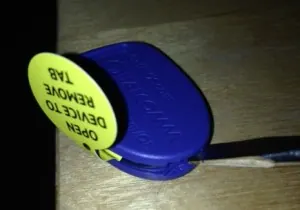
Cracking open a beacon
I can tell already that Qualcomm has put a good amount of work into their beacon management platform and services, These are areas which will clearly be an important business asset to anyone wanting to enable many users to interact with beacons easily.
By themselves, Beacons are not terribly compelling…until they are paired with excellent supporting services and tools.
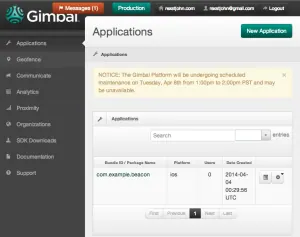
The Gimbal Developer Portal
The Gimbal beacons are quite tiny, perhaps the size of a silver dollar and are powered by a single Panasonic 3V CR 2032 coin-cell battery. The Gimbals come in two series currently: 10 (blue, for fun and retail) and 20 (industrial silver). Depending on how you use them, the battery can last months or years. The series 20 runs on two AA batteries and last about a year at 10 pings / second. The series 10 may last 3 months at 10 pings / second.
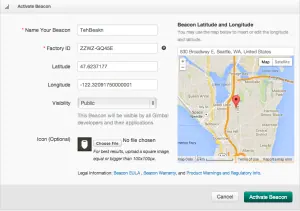
Setting up a Geo fence
I haven’t found any mention of their range in comparison with my Estimote beacons, which last 2 years and can throw a signal 50m+. Without knowing more details I would imaging that these blue series 10 Gimbal beacons won’t throw a signal that far while the series 20 probably will.
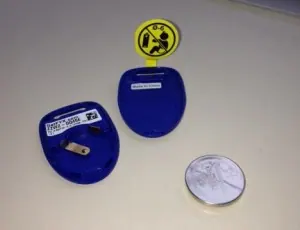
Beacon internals
Once you get your beacons (they have/had a promotion to get them free), you will have to pry them open and then activate them by entering in the factory ID printed on the inside into the developer portal.
Having done that, you should be free to experiment with detecting beacons on an Android or iOS handset using their provided SDKs.
Will update with more as I proceed.