Registering an application with the Mashery API Network
Abstract: This the second in a series of articles dicussing the creative possibilities of the Mashery API Network.
Originally published on the Intel blog

- intel
- iot
Originally published at the Intel Developer Zone on June 14, 2014. Recovered from the Internet Archive.
Abstract: This the second in a series of articles dicussing the creative possibilities of the Mashery API Network. In this article we will be walking through the process of registering an application with the ShareThis API
Mashery, an Intel companyAPIs For Everything

*The Mashery API Network contains 40+ publicly available APIs, many from well known brands, which embedded developers may use to create compelling Galileo projects.*Thankfully, once you register for a Mashery developer account, you will be able to access all the APIs using the same account information. Lets start with a basic example: the ShareThis API.
Possibilities With The ShareThis API
The ShareThis API is a great starting point for exploring the possibilities of the Mashery API Network. Using the ShareThis API with a registered application, you can easily share to social networks including Facebook and Twitter, track the popularity of specific URLs on social media and download information about trending content. You could build an application for Galileo which shares a link on Twitter whenever someone opens your refrigerator door, track social media metrics on an LED screen or share something on Facebook whenever your dog barks using an audio detector (not included). These are just a few ideas of what could be done using the ShareThis API.
Registering A ShareThis API Application
Before we can begin our experiments with the ShareThis API, we must first log-in (using your Mashery Developer credentials) in order to receive an application key to use in our tests. Once you have signed in, you will see the application registration prompt.
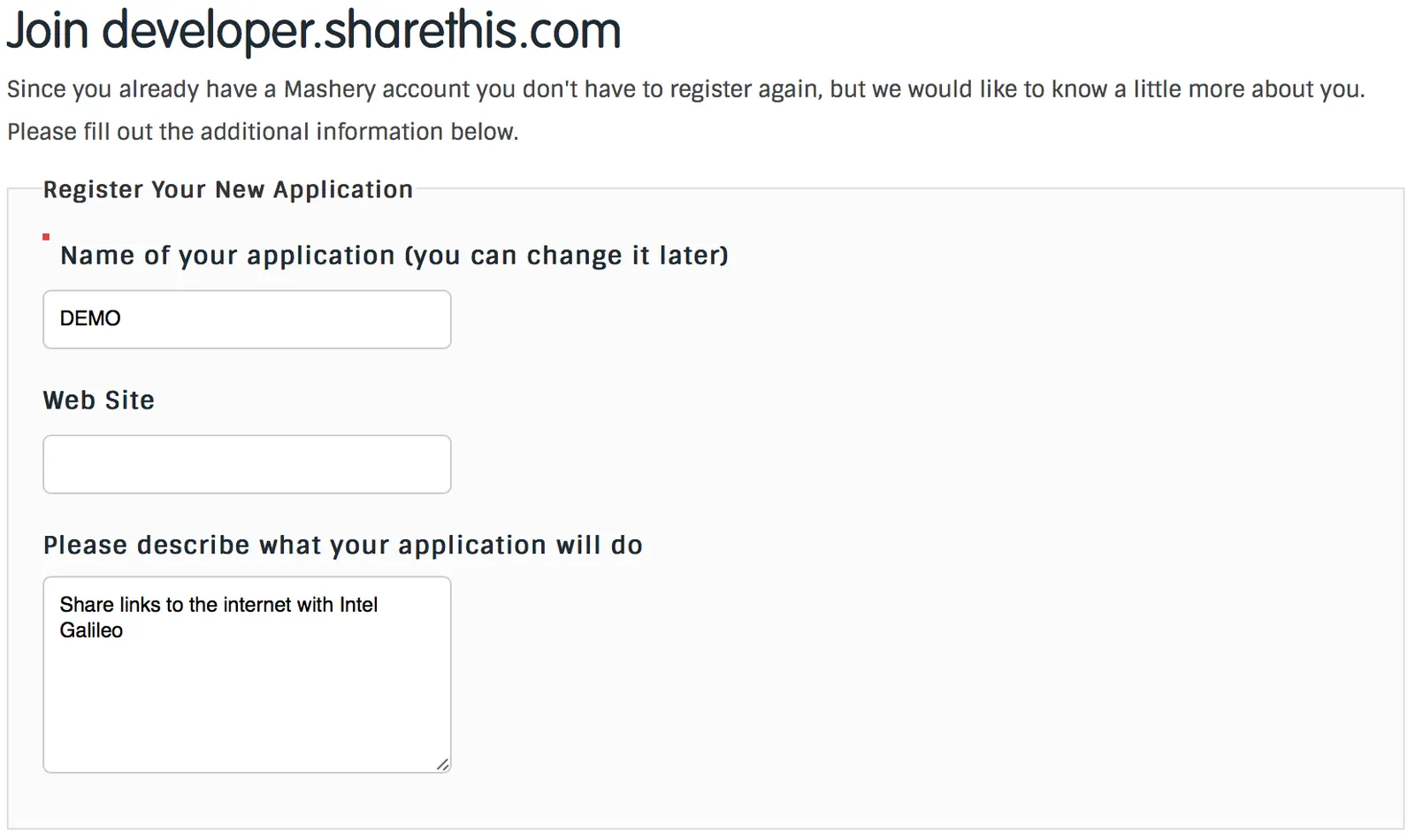
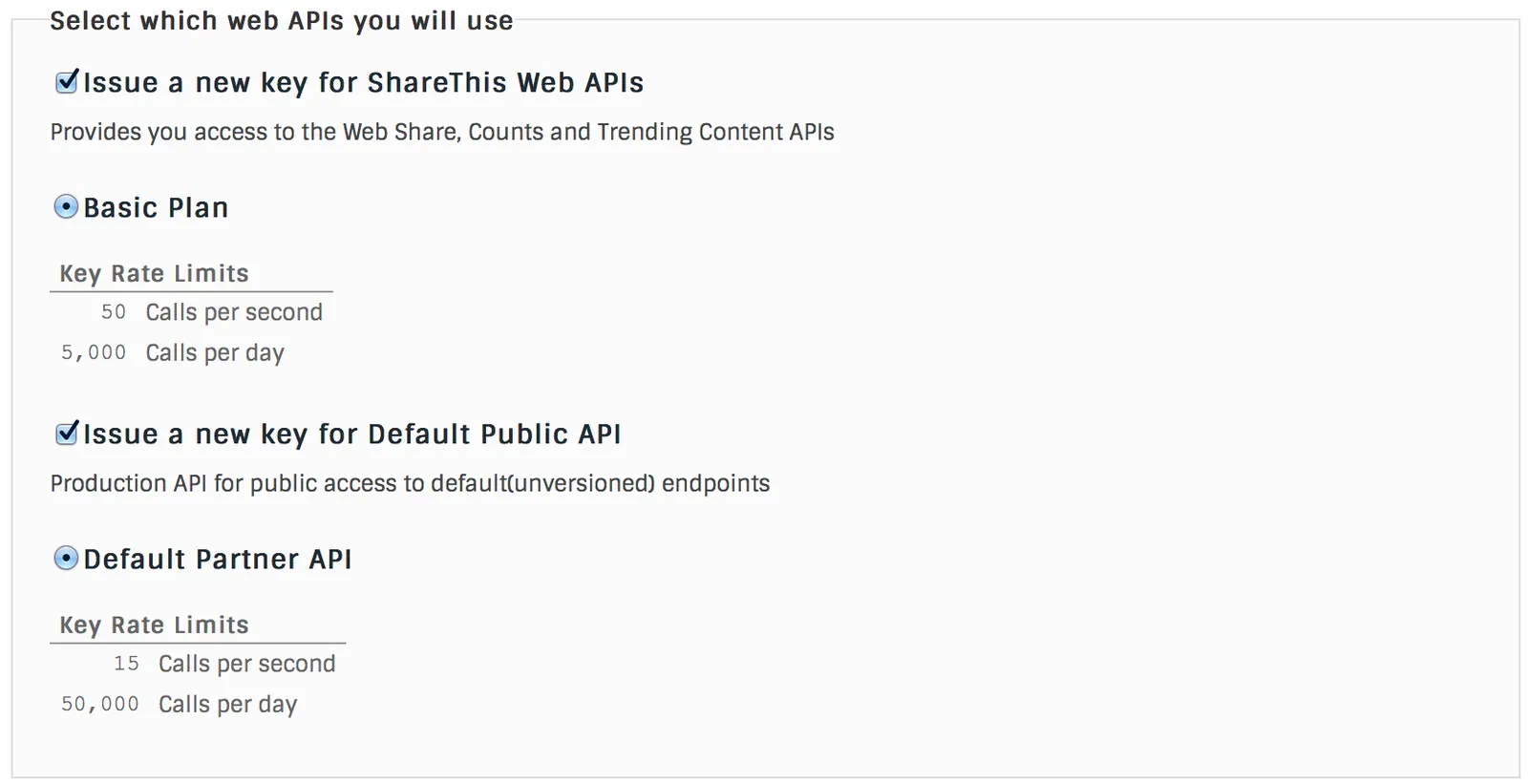
Once you have filled in your application's details and accepted the necessary terms and conditions, you will be ready to start exploring the possibilities of the ShareThis API. Each Mashery API Network API has different "packages" which are provided and allow access to certain capabilities and use-teirs of an API. The below is an example from the ShareThis API registration process. These parameters indicate the volume of calls which your application can make to this particular API.
Exploring the ShareThis interactive documentation
As mentioned in my previous articles on the Mashery API Network, most of the API portals come with interactive documentation powered by Mashery's I/O Docs toolset. Now that we have a registered app, we can start using the documentation to make real API calls. Click hereto view the interactive documentation for the ShareThis API.
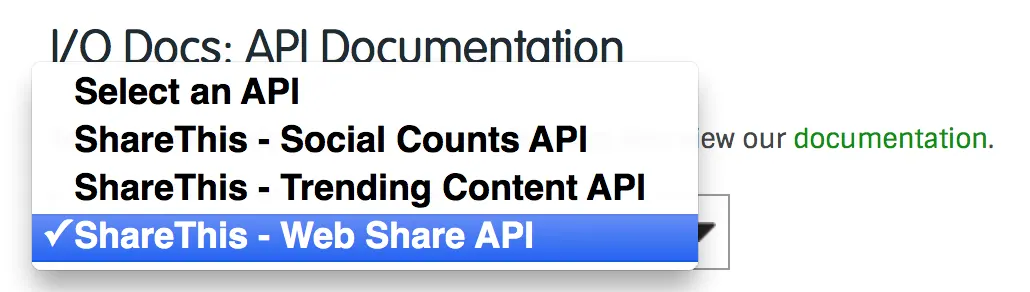
ShareThis has multiple APIs including Trending Content, Web Share and Social Counts. Each of these APIs come with their own endpoints. To view the possible APIs, click the drop down box at the top of the page and you will be able to see several of the available possibilities including Social Counts, Trending Content and Web Share APIs.
Taking A Closer Look At Web Share API
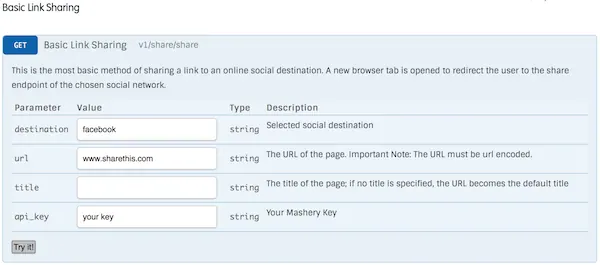
Each I/O Docs API documentation page consists of a list of RESTful endpoints with their inputs and a button to test the results. Taking the API Key which was given to you during the registration process, you can enter that key into the "api_key" field and click the "Try It!" button.
Thats it for now, as you can see it only takes a few minutes to get up and running with a Mashery API and making example calls using I/O Docs.