Using Amazon AWS Android SDK With Android Studio
I saw a thread on reddit the other day where someone was asking for advice on how to integrate the AWS Android SDK into Android Studio.
Originally published on the rexstjohn.com blog

- android
Originally published at rexstjohn.com on February 15, 2014. Recovered from the Internet Archive.
I saw a thread on reddit the other day where someone was asking for advice on how to integrate the AWS Android SDK into Android Studio. Integrating AWS with Android Studio should be fairly straightforward as the AWS SDK comes with all the necessary .jar files you will need in order to get started.
Step 1: Download the Amazon AWS SDK
Get it here: <https://github.com/aws/aws-sdk-java> or on the AWS java website
Step 2: Unzip the AWS SDK
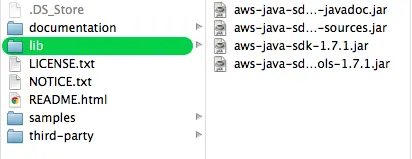
Manually drag and drop the necessary AWK .jar files from the /libs/ folder inside the .zip. Read the directions on the AWS website to figure out which ones you need.
Step 3: Add the .jar files as Libraries using Android Studio
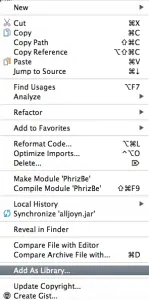
In Android Studio’s /libs/ folder, select all the AWS .jar files you need, right click and choose “Add as Library.”
Compiling the AWS SDK Yourself
If you want to compile the AWS SDK yourself in Android Studio, at this point you may need to open the AWS project as an Eclipse project and then export it as a Gradle project. I haven’t tried it myself but the latest Android Studio may now be capable of importing the project as needed and adding the Gradle files automatically.